Dropzone
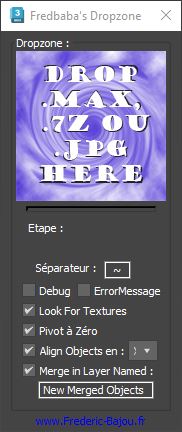
The Dropzone script streamlines importing assets into your 3D scenes. Simply drag and drop a 3D file, image, or archive from your library onto the script. It automatically decompresses archives, imports or merges the 3D object, locates textures in subfolders, groups and renames objects as needed, positions the pivot point at the object’s base, and places it in the correct layer. Managing and importing your assets has never been so efficient.